Examples
This page contains examples of Astro components that use emitAsset() to generate files that they use.
Generated image with sharp
Section titled “Generated image with sharp”This example recreates the album cover of Charli XCX’s Brat using sharp’s ability to create images of text.

View source
---import { emitAsset } from 'astro-emit-asset/emit';import sharp from 'sharp';
export const brat = await emitAsset('foo.[hash].png', [], async () => ({  data: await sharp({    create: { width: 150, height: 150, channels: 3, background: { r: 138, g: 206, b: 0 } },  })    .composite([      {        input: {          text: {            text: '<span letter_spacing="-1000">brat</span>',            width: 150,            height: 41,            rgba: true,            font: 'Arial Narrow',          },        },      },    ])    .png()    .toBuffer(),}));---
<img src={brat.src} alt="brat" width="400" height="400" />
Multiple assets
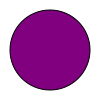
Section titled “Multiple assets”This example shows how to return multiple assets from emitAsset(), creating multiple SVG files based on an array of colours.
This can be useful for paginated media or creating multiple related assets from one process.
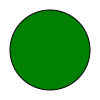
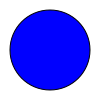
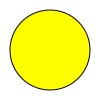
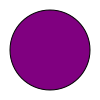
View source
---import { emitAsset } from 'astro-emit-asset/emit';
const colors = ['red', 'green', 'blue', 'yellow', 'purple'];
const assets = await emitAsset('my.[hash].svg', [colors], () =>  colors.map((color) => ({    data: `<svg xmlns="http://www.w3.org/2000/svg" viewBox="0 0 100 100">)  <circle fill="${color}" cx="50" cy="50" r="40" stroke="black" /></svg>`,    meta: { alt: `${color} circle`, width: 100, height: 100 },  })),);---
<div class="not-content" style="display: flex; flex-wrap: wrap">  {assets.map((asset) => <img src={asset.src} {...asset.meta} />)}</div>
Markdown code block download links
Section titled “Markdown code block download links”This example demonstrates using emitAsset() in a Markdown plugin (in this case a Sätteri plugin) to emit the contents of a code block to a file users can download.
<svg xmlns="http://www.w3.org/2000/svg" viewBox="0 0 100 100"> <text y="0.9em" font-size="90">📤</text></svg>
View details
The Markdown plugin lets users add a download attribute to code blocks to generate a download link below the block, e.g.
```svg download<svg xmlns="http://www.w3.org/2000/svg" viewBox="0 0 100 100"> <text y="0.9em" font-size="90">📤</text></svg>```The Markdown plugin uses emitAsset() to support this:
import { emitAsset } from 'astro-emit-asset/emit';import { defineMdastPlugin } from 'satteri';
const titleRegExp = /title="([^"]+?)"/;
export const satteriMdastCodeBlockEmitter = defineMdastPlugin({  name: 'astro-emit-asset-test',  async code(node, context) {    if (!node.lang || !node.meta?.includes('download')) {      return;    }    const fileName = node.meta.match(titleRegExp)?.[1];    const asset = await emitAsset(fileName || `code.${node.lang}`, [node.value], () => ({      data: node.value,    }));    context.insertAfter(node, {      type: 'paragraph',      children: [        {          type: 'link',          url: asset.src,          data: {            hProperties: {              download: fileName || '',              style: `padding: 0.75em; background-color: var(--sl-color-gray-6); box-shadow: var(--sl-flexoki-emboss-shadow); border-radius: 0.5em; text-decoration: none;`,            },          },          children: [{ type: 'text', value: `⬇️ Download ${fileName || 'code'}` }],        },      ],    });  },});